CHI Special Investigation · LinkedIn
A Workaround Is Not a Repair
LinkedIn has built an increasingly sophisticated business around Company Pages. CHI found something considerably less sophisticated underneath it.
The Customer Hostility Index needed a LinkedIn Company Page. That should have been unremarkable: CHI is a research organization, LinkedIn is the world's largest professional network, and a Company Page was one more item on a launch checklist. It turned into an investigation instead.
When CHI clicked the button to create its Page, the very first interaction—repeat, the very first interaction—we had with the product was an offer to upgrade it. Before we had configured anything, added basic information or seen a single administrative tool, LinkedIn was selling us Premium Company Page and promising we could “Grow your Page followers up to 6.7x faster.”
We hadn't actually used the fucking product yet, and LinkedIn was already trying to monetize our use of it.
Time for the Vaseline. (IYKYK.)
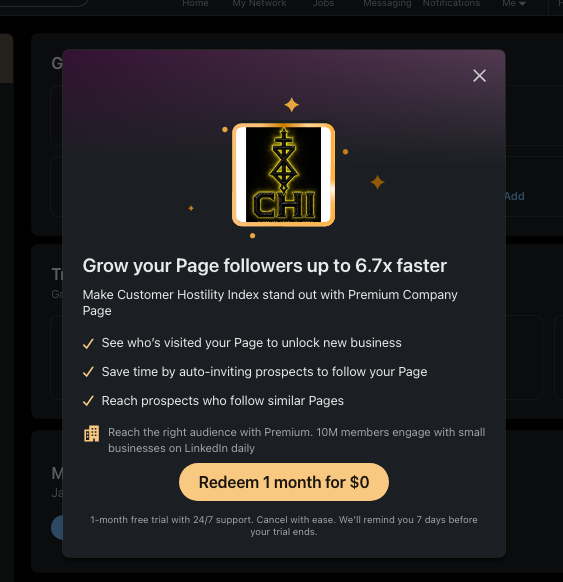
The offers kept coming as we set the Page up: upgrade, advertise, grow followers, unlock more invitations. So did the problems. Basic information took three attempts to save. LinkedIn told us another administrator was editing the Page when there was no competing administrator, and the same error returned later while we were adding the Page's location. The cover image went through multiple versions trying to survive LinkedIn's crop before LinkedIn stopped accepting it altogether and told us to refresh and try again.
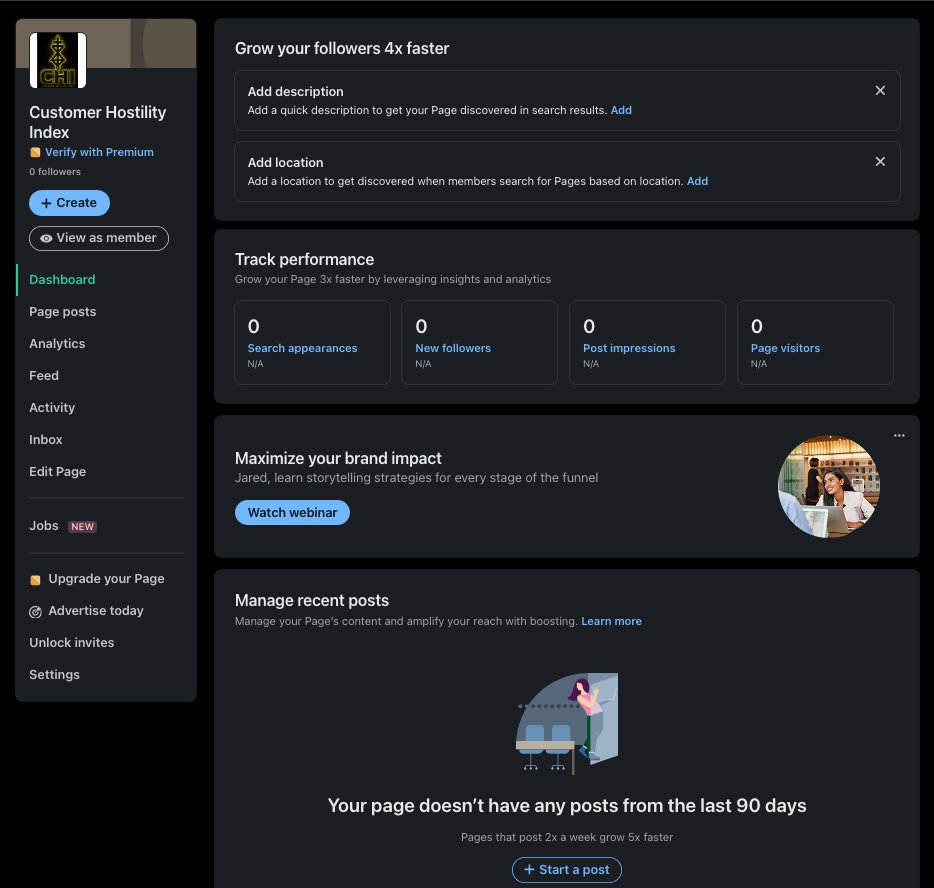
None of that, on its own, is an indictment. Software breaks. What interested us was what sat around the breakage: a company that has become precise about what it sells on a Company Page and considerably less precise about helping the people administering one when something goes wrong.
What the Upgrade Buys
LinkedIn rolled out Premium Company Pages in 2024 and has continued adding functionality to them. Charging for additional functionality is normal. What's worth examining is how finely LinkedIn has divided the free and paid experiences.
Take the custom call-to-action button. A free Page can have one, pointing visitors to a website, sign-up form, contact page or another destination. Without Premium, however, LinkedIn says that button appears when a visitor opens the More menu. Premium can move it to the top of the Page and extend its visibility into posts and search results.
The free customer already has the button. Visibility is what LinkedIn sells.
Follower growth works similarly. Free Pages can invite first-degree connections. Premium expands that audience to followers of similar Pages and can automatically invite people who engage with Page content. Invitations also operate through credits, and when a Page runs out, LinkedIn's own guidance presents waiting for credits to renew or upgrading as alternatives.
Then there's verification, which LinkedIn describes as a signal that a Page officially represents an organization. LinkedIn says purchasing Premium Company Page makes a Page automatically eligible to request it; a free trial of Premium doesn't. Other Pages may become eligible through engagement or other paid products such as Ads, at LinkedIn's discretion. Payment doesn't guarantee the badge; LinkedIn still reviews the request. So it would be inaccurate to say LinkedIn sells verification. It sells guaranteed eligibility to ask for it.
There is another version of this arrangement elsewhere in LinkedIn that is considerably harder to defend.
LinkedIn Premium sells Who's Viewed Your Profile, which LinkedIn describes as a way to “see who's visiting your profile.” Premium members can receive a full list of profile viewers and additional viewer analytics.
But LinkedIn Premium also sells Private browsing.
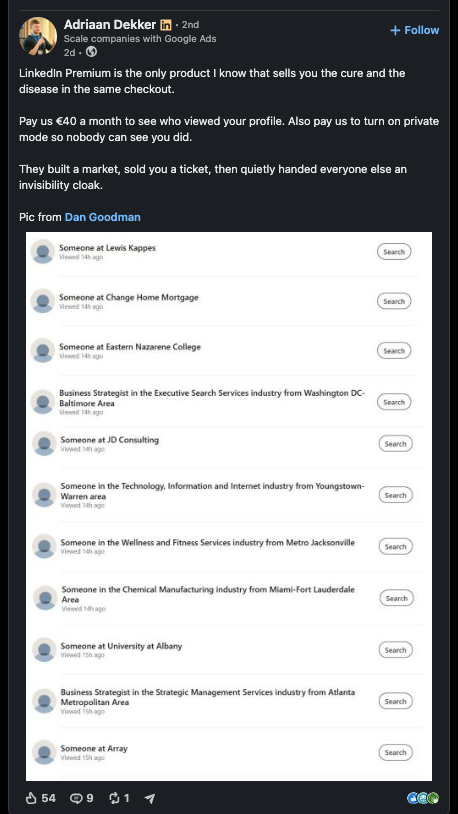
A Premium member can therefore pay LinkedIn to see who viewed their profile, switch on Private Mode, visit somebody else's profile without revealing their own identity, and then return to their account and continue seeing the identifiable people who viewed them. The Premium member on the other side cannot identify them. LinkedIn explicitly says that even Premium subscribers cannot see the names of people who viewed their profiles privately.
Read that again.
LinkedIn sells one customer greater visibility into who is looking at them while simultaneously selling other customers the ability to disappear from that visibility. The more viewers who exercise the privacy LinkedIn provides, the less complete the identifiable viewer information becomes for the customer paying LinkedIn to receive it.
LinkedIn discloses this limitation in its documentation, so CHI is not alleging fraud or false advertising. The criticism is simpler: LinkedIn monetizes both sides of the same information asymmetry.
One customer pays to see.
Another customer pays to disappear.
And LinkedIn gets paid either way.
Adriaan Dekker recently described the arrangement in a LinkedIn post. His last line may be the best description of the model we've seen:
“They built a market, sold you a ticket, then quietly handed everyone else an invisibility cloak.”
None of these features is hostile merely because LinkedIn charges for them. What they establish is something more specific: LinkedIn has become exceptionally sophisticated at identifying pieces of visibility, reach, identity and access that can be separated from the underlying product and monetized. In some cases, it can monetize opposing sides of the same information exchange.
Company Pages are therefore not simply a free product with an optional bundle of additional features. They are an actively developed commercial system in which LinkedIn can make precise, payment-dependent distinctions about who gets seen, what gets surfaced, who can be invited and who becomes eligible for particular benefits.
“Another Admin Is Trying to Make Changes”
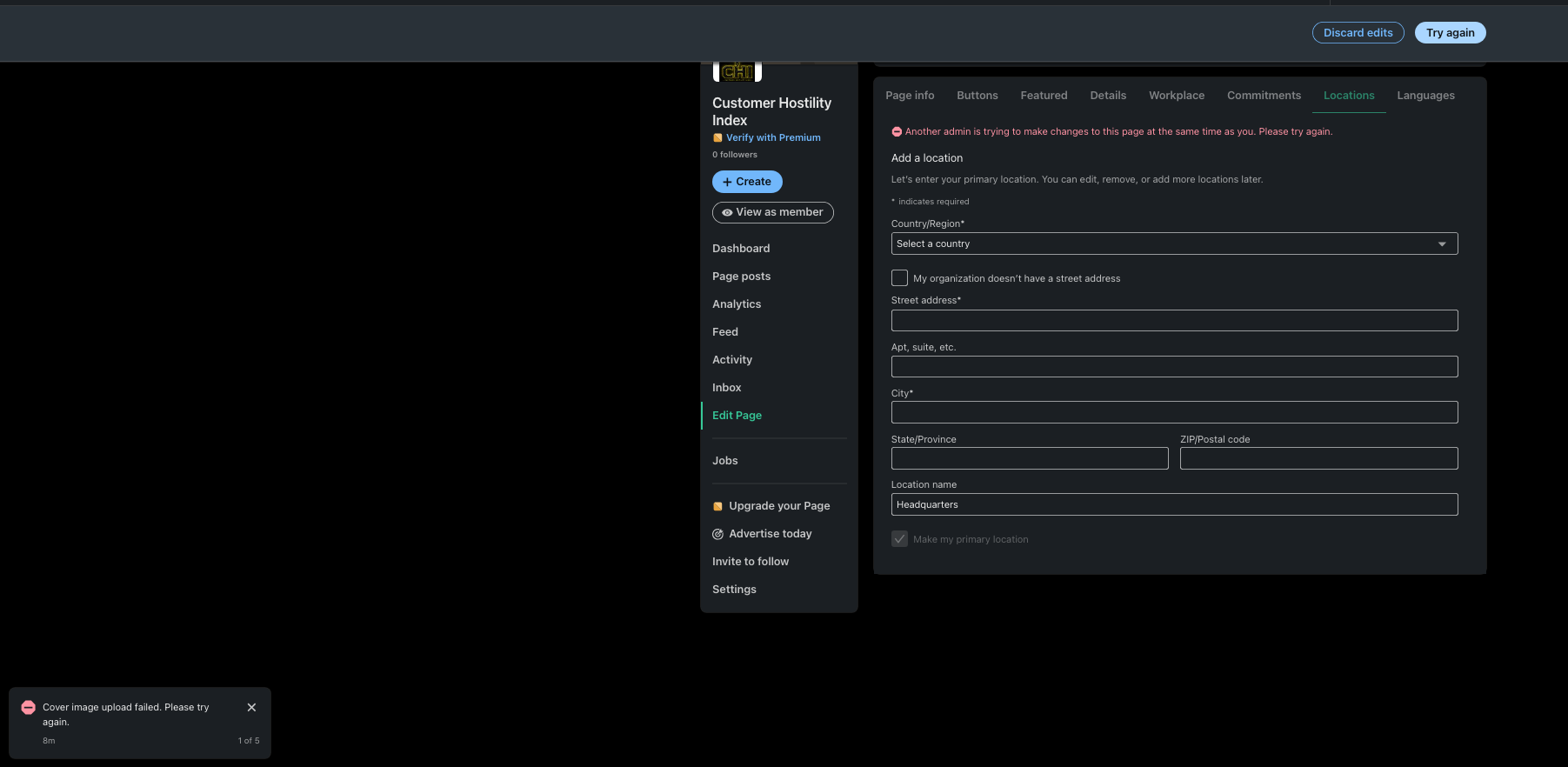
While setting up the CHI Page, we tried to save ordinary company information and received an oddly specific explanation for why LinkedIn couldn't:
“Another admin is trying to make changes to this page at the same time as you. Please try again.”
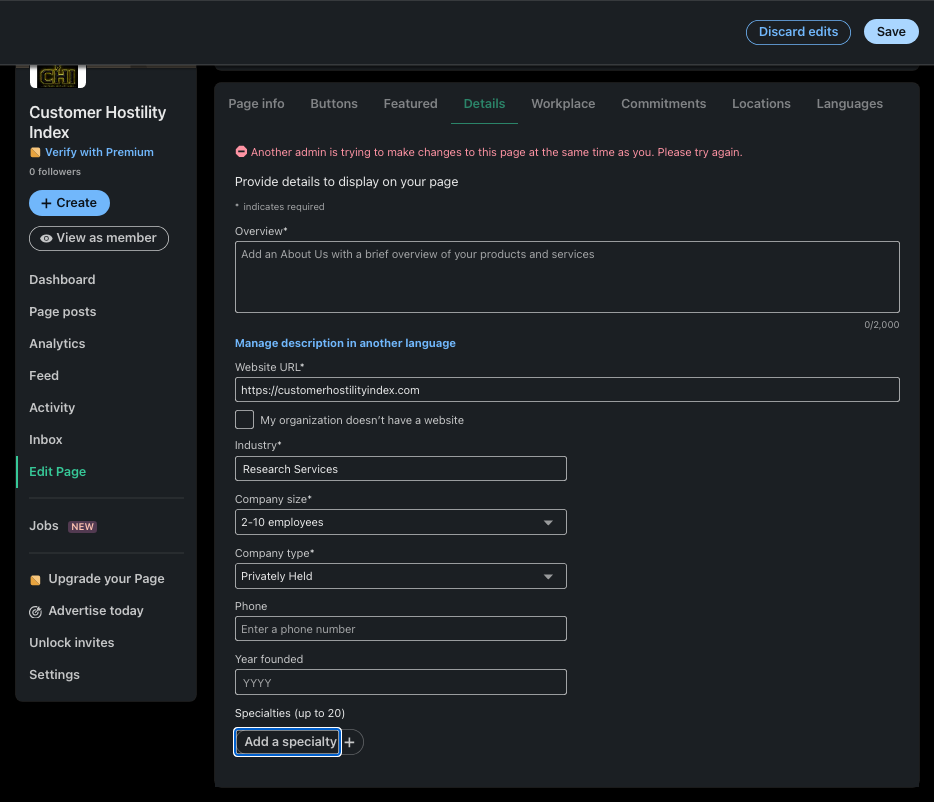
There was one problem with that explanation. There wasn't another administrator making changes.
This was a newly created Page with one administrator. Saving its basic details took three attempts. Later, while adding the Page's location, the same error returned. Refreshing and trying again did not immediately clear it.
One unexplained failure isn't particularly interesting. Seeing the same message again was enough to make us look for other accounts of it, and there were several.
Other LinkedIn Page administrators have publicly reported receiving the same message despite being the only administrator making changes. The reports run from 2025 through 2026. Some describe a workaround of making a single change, saving it, reloading the Page and repeating the process for the next change. In one public account, an administrator said changing tags took roughly twenty minutes because the edits had to be made individually.
We cannot establish that every one of those reports and CHI's experience resulted from precisely the same technical defect. We can't see LinkedIn's systems. But CHI independently received the same inaccurate warning other Page administrators have described, more than once, with the same useful instruction attached: try again.
The Banner
LinkedIn's recommended Company Page cover image is 4200 by 700 pixels—a strip six times wider than it is tall—and LinkedIn warns that cover images may be adjusted to fit different screens and trimmed horizontally or vertically.
Every platform gets to define its own visual design. A platform that imposes unusual constraints also determines how much assistance it gives customers trying to meet them.
We went through multiple versions of CHI's cover image trying to produce something that survived the crop. Then the problem changed. LinkedIn stopped accepting the image:
“Cover image upload failed. Please refresh the page and try again.”
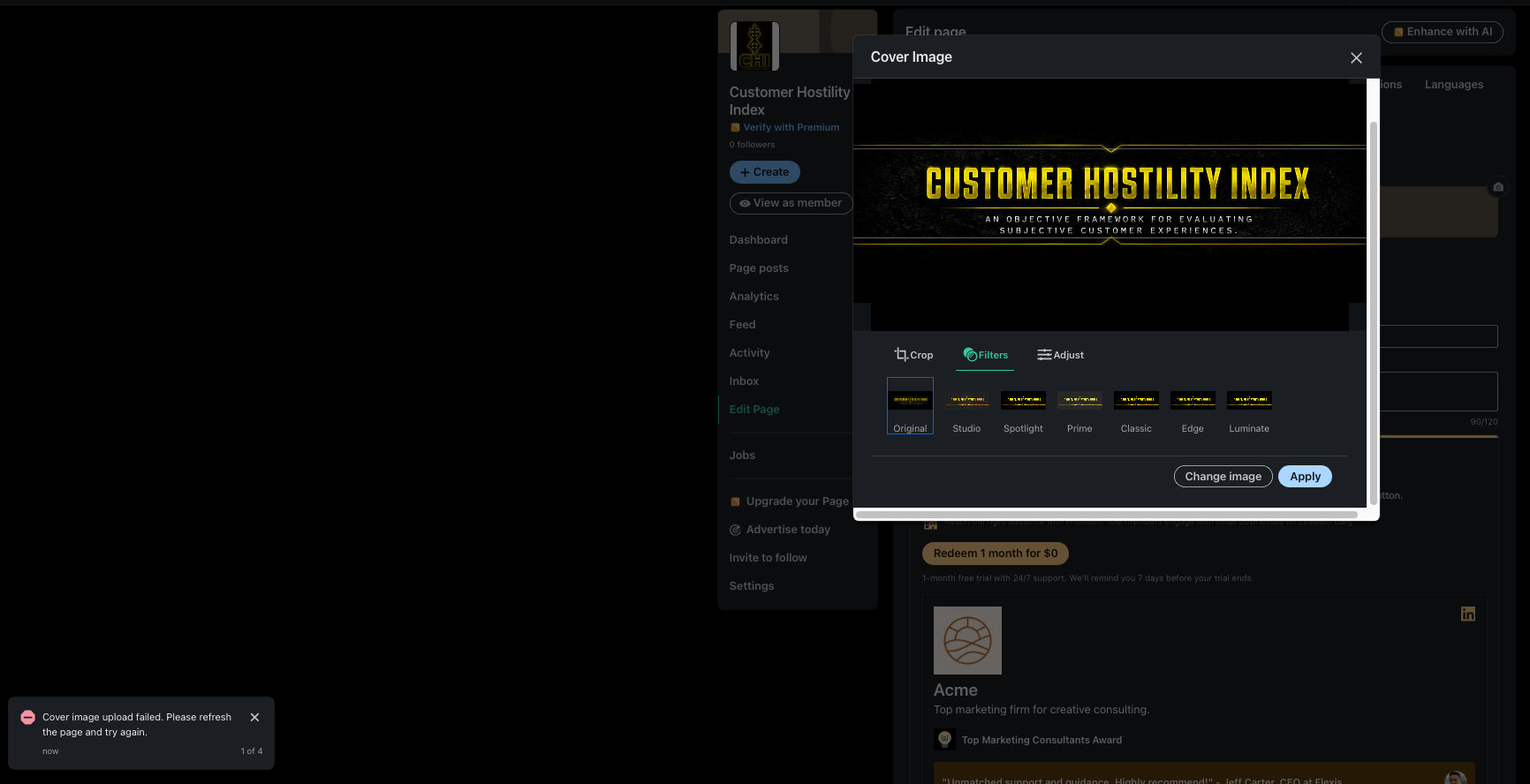
That was the diagnosis: no dimension error, no file-size violation, no unsupported format, nothing identifying what had actually failed. Refresh and try again.
LinkedIn maintains troubleshooting instructions specifically for administrators having trouble uploading a Page cover image. Even when the image has the correct size and dimensions, LinkedIn recommends trying steps including saving the image as a PNG, clearing browser cookies and signing in again, updating the browser, trying another browser or disabling the pop-up blocker.
Some of that may work. It still isn't a fix.
A workaround is not a repair.
When a recurring product failure becomes a procedure for the customer, the failure hasn't disappeared. Some of its cost has simply moved. The customer pays in diagnosis, experimentation, repetition and time instead of money.
When Does a Bug Become a Business Decision?
The obvious objection is that LinkedIn is enormous, enormous software platforms have bugs, and Company Pages are only one part of the system. Fair enough. A broken image upload doesn't prove corporate hostility, and a buggy administrative screen isn't exactly the Pentagon Papers. If one failed upload were the standard, virtually every technology company on Earth would qualify as hostile by lunchtime.
Nor are we suggesting the engineers who built Premium could have spent Tuesday afternoon fixing our banner instead. Large software companies don't work that way, and we can't see who owns these defects, how difficult they are to reproduce or where they sit in anyone's engineering backlog.
But put the two sides of the same Page next to each other.
For a paying customer, LinkedIn can move a button from a menu to the top of the Page, expand the audience that can be invited to follow it, automatically invite people who engage with Page content and make the Page eligible to request verification.
For the administrator of a new Page, LinkedIn reported another administrator who wasn't making changes and, when a cover-image upload failed, could tell us only to refresh and try again.
The evidence does not show that LinkedIn created that friction to sell Premium. It doesn't show that LinkedIn preserves the friction because it improves conversion, nor that Premium would have prevented any of the problems CHI encountered. Those would be serious allegations, and we have no evidence for them.
What we can observe is where the precision appears.
LinkedIn has engineered the paid side of a Company Page down to button placement. When the administrative side failed during our setup, it couldn't tell us why. When LinkedIn wanted us to pay, it told us exactly what we'd get: followers up to 6.7 times faster, a button moved out of a menu, more invitations now instead of next month. When something broke, it told us to try again. Both are messages LinkedIn chose to write.
The broader Premium product makes that contrast harder to dismiss as incidental. LinkedIn understands visibility well enough to price it, restrict it, expand it and—in another part of the same platform—sell one customer greater access to identity information while selling another customer the ability to withhold it.
That contrast is the point.
Finding: SUPPORTS
LinkedIn Company Pages show a visible asymmetry between the precision of their monetization layer and the reliability and usability CHI encountered in basic administration.
Setting up CHI's Page took repeated attempts at ordinary tasks, produced an inaccurate competing-administrator warning during more than one administrative task, and ended with a cover-image failure that provided no meaningful diagnosis. Other administrators have publicly reported the same competing-administrator warning, including workarounds that shift additional steps and time onto the administrator. LinkedIn itself publishes troubleshooting procedures for failed cover-image uploads, while its product documentation demonstrates how precisely it separates free from paid Company Page functionality.
The broader Premium product reinforces the underlying pattern. LinkedIn doesn't merely monetize additional functionality. It monetizes visibility itself—including, in the profile-viewer example, opposing positions in the same information exchange.
There is no evidence LinkedIn created the Company Page failures, that Premium caused them or that Premium would fix them.
There is evidence that LinkedIn is sufficiently familiar with cover-image failures to have written down what administrators should try when they occur.
Convert the file. Clear the cookies. Change the browser. Reload the Page. Try again.
That may get you to the other side.
But a workaround is not a repair.